
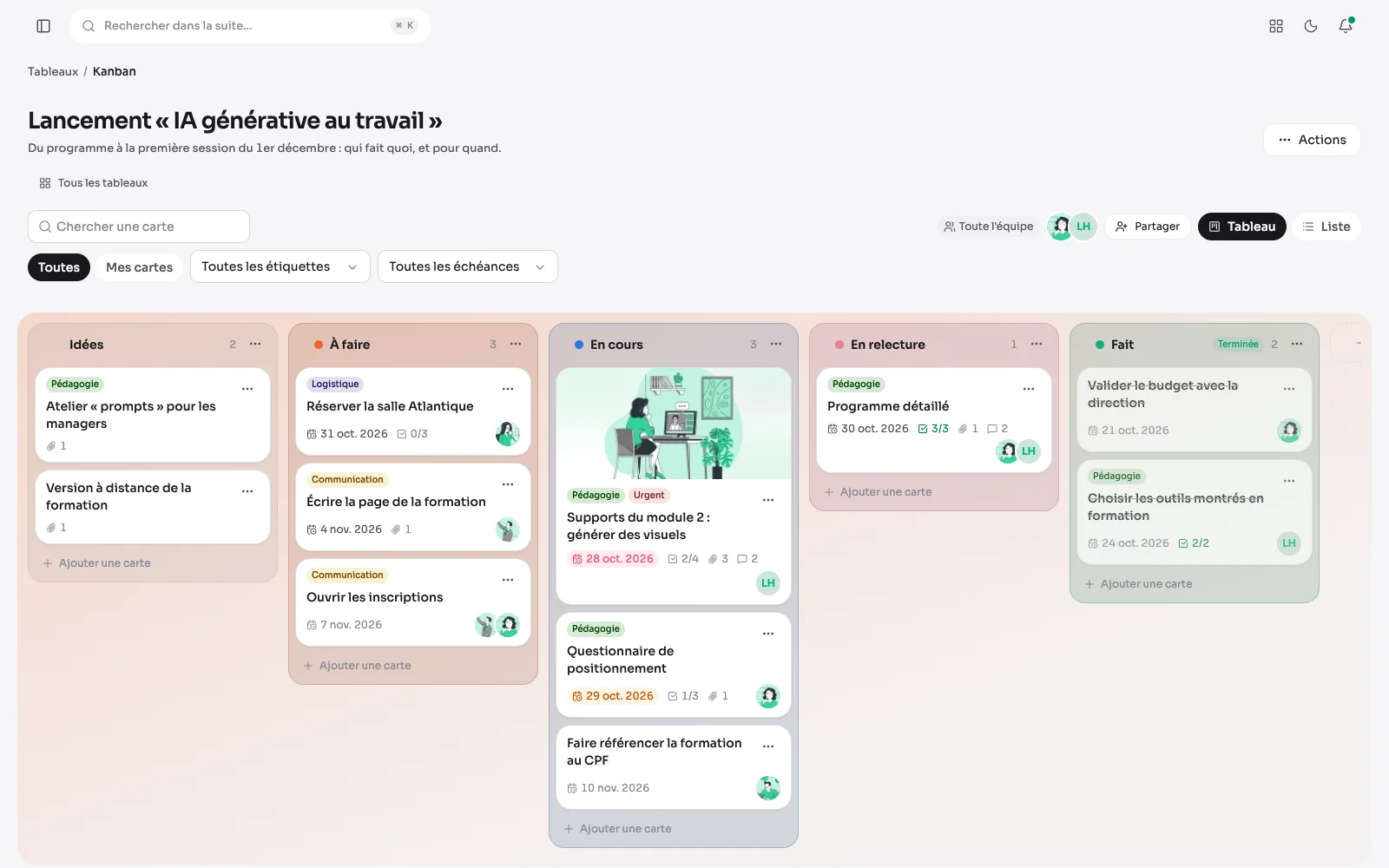
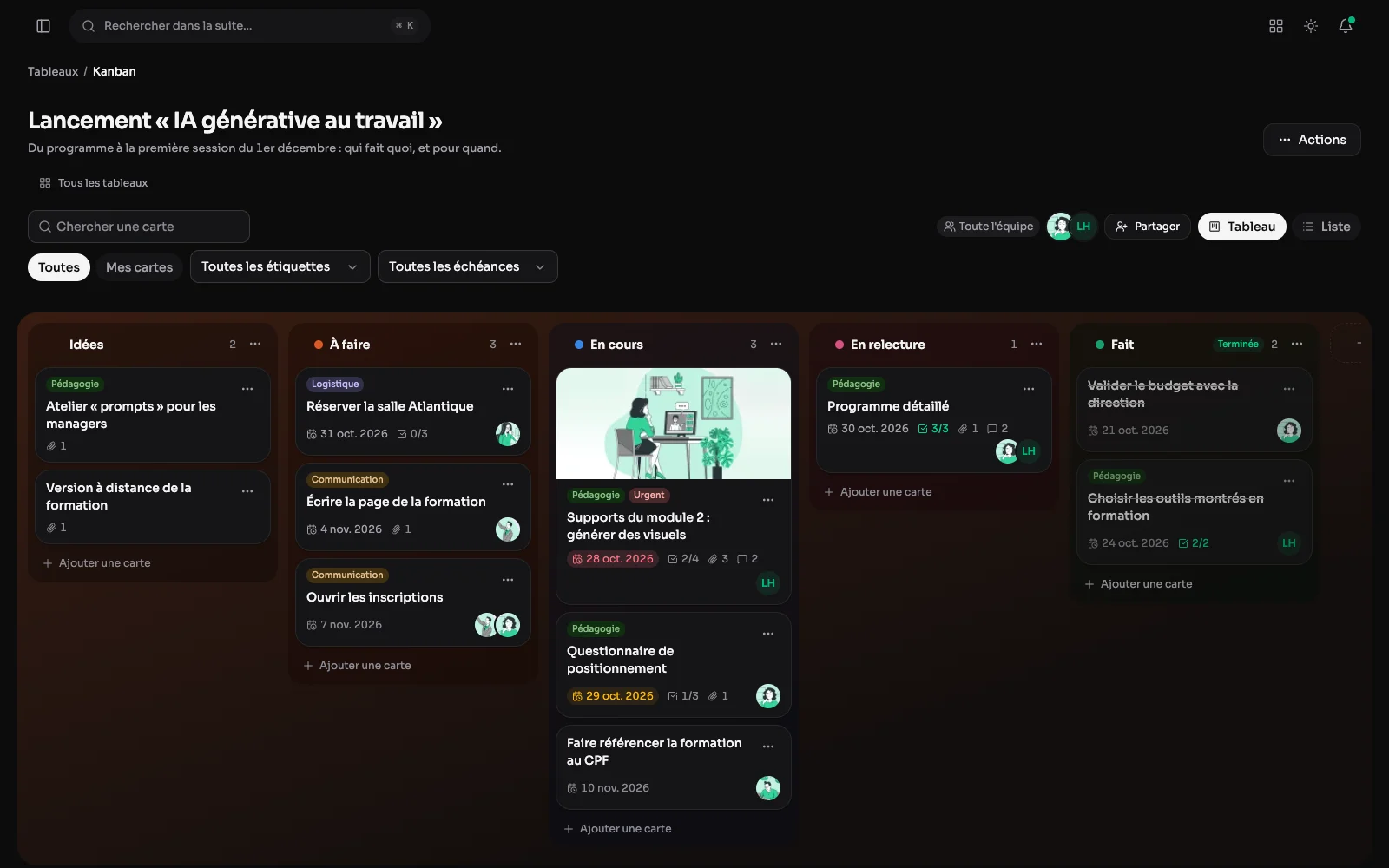
The Kanban module follows work in columns of cards, alone or together. Everyone makes as many boards as they want and chooses who sees them: nobody else, named members with their role, or the whole team. Everyone also finds a “My tasks” board on their first visit.
Cards, column by column
Each step has its column and its colour, and each card is dragged to the next one. A card shows its labels, its due date, its ticked boxes, its comments and the people on it. A column marked as finishing makes its cards done: they no longer count as late.
As many boards as you want
Your own boards, those shared with you, the whole team's: each with its open cards, the late ones and the people following it. A board that has served its time is archived without losing anything.
Everything on a card, in a large window
A card opens in a large window with two columns: on the left its description, written in blocks, its checklist and a thread of comments where you mention someone with @; on the right the people taking care of it, its labels, its due date and its column. “Assign me” takes one click, a comment can be corrected afterwards and the history says who did what on the card.
My cards, in one click
On a team board, “My cards” keeps only what concerns you. You can also filter by label, by due date (late, this week, no due date) or by a word of the title.
The same board, as a list
One line per card, column by column, with its due date and its people: to read a whole board at a glance. The choice is kept from one visit to the next.
Private, shared or open to the team
A private board is seen only by its owner, administrators included. Shared, it opens to the people chosen, each with their role: reader, editor or manager. Open to the whole team, it takes a default role.
A new board, already in columns
A new board starts from ready-made columns: “Tasks” (to do, doing, done) or “Project” (ideas, to do, doing, in review, done), or from none. Everyone also finds their own “My tasks” board on their first visit.
Labels of each board's own
Each board has its labels, a name and a colour: “Urgent” does not mean the same on a personal list and on the team's board. Deleting a label takes it off the cards, nothing else.
Everything on me, across every board
The “My cards” tab gathers the open cards you are on, across every board you can see: overdue, today, this week, later, without a date. Each line names its board and its column, and a click opens the card on its board. Being put on a card rings the bell and sends an email, and a reminder follows the day before it is due.
Files on the cards, through the media library
A file is attached from the card or picked in the media library: it goes in filed, under the same limits as any other upload. A picture shows its thumbnail, a paperclip counts the files on the card, and a file is only served to whoever sees the board. Taking it off the card leaves it in the media library.
Due dates on the calendar
A board's dated cards show up in the “Boards” calendar of the Planning, as all-day entries in their board's colour, for whoever sees the board. It is a setting per board, on for a shared board; a card that is done or archived leaves the calendar by itself.
Your cards right on the dashboard
The “Kanban” tab of the dashboard says how many of your cards are late, due today and due this week, and lists the next ones, each opening on its board. Late cards and today's join the “To do” strip, and a pill counts them beside “Kanban” in the menu.
Templates, so nothing is rebuilt by hand
A board you rebuild every time is saved as a template: its columns, labels and cards, whose due dates become “D+n”. A template is edited like a board, stays out of the lists, the calendar and the notifications, and opens to the whole team when you wish. A board is also duplicated in one click, as a private copy.
A new board, already dated
When creating a board, the team's templates join the starting columns. A board started from a template receives its columns, labels and cards, and each “D+n” becomes a real date, counted from the day of creation.