

 Aurora
Aurora is the content management system I built, and the one I work with. The suite, the page editor, the public rendering and the deployment tooling are mine: when a client asks for something the tool cannot do, I add it to the tool instead of working around it.
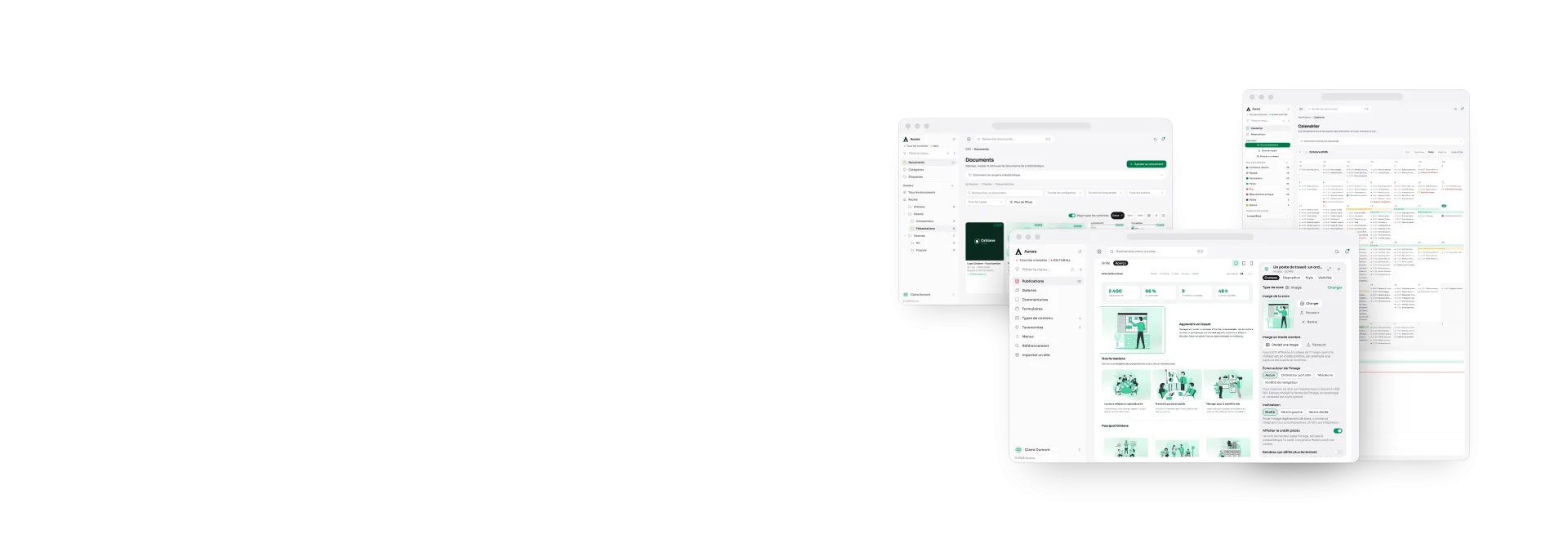
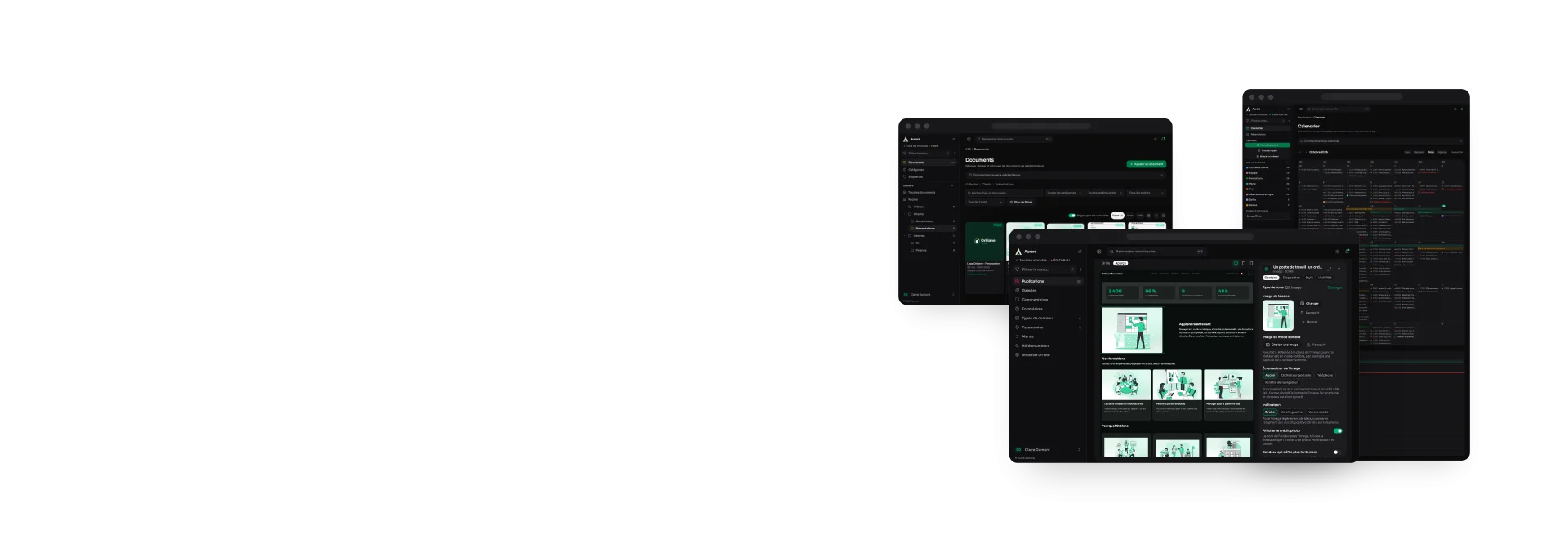
This site is the most direct demonstration of that: it runs on it, and the screenshots on the pages below come from the suite you would have in your hands.
- 5
- languages in every page, and in the admin
- 41
- modules and sub-modules, switched on one by one for each site
- 550+
- releases published since April 2026
- 45
- zone types to compose a page
- 48
- columns, to place a page precisely
- 28,000+
- automated tests before every release
The tour, subject by subject
Each card opens a page explaining one part of the product, with the screenshot that goes with it. The list fills itself: I add a subject, it turns up here.
Some modules are optional: calendar and booking, the client space, boards, notes and transfers are added to a site, on their own or in a pack. Their page says so, and the web development page gives their prices.
Composing a page
A page is laid out on a 48-column grid, with 45 zone types, without writing a line of code.
Blocks, as visitors see them
What the grid's zones give on the public site: practical, charts, map, prices, quote, picture story.
The page header
The top banner is set next to the content, with a preview that follows every change.


Publish, schedule, archive
Draft, review, schedule, publish, archive, trash: nothing goes out by accident.
Multilingual, one layout
Every publication exists in each of the site's languages, with its own words and its own address.

Search engines, no plugin
Titles, descriptions, indexing, sitemap and RSS are part of the product, not a third-party module.
The media library
Files are filed, described, and served in several sizes as WebP.


Photo galleries
A gallery is added under a publication without touching the rest of the page.
Forms
A form is built question by question, with a live preview, collects its submissions, and notifies by email. A page can also run a poll.
QR codes
Saved, styled and checked QR codes: eleven contents including the site's pages, a logo, dynamic codes that count their scans, and a sheet to print.
Comments
Opened per publication, moderated before they appear.
Tools
The small utilities a site needs: short links that count their clicks, redirects, broken links checked every night, an e-mail signature, and the golden hour to plan a shoot.
Menus
Navigation is composed in the suite, and points at things that actually exist.
Content types and fields
Beyond pages and articles, a site can have types of its own, with their own fields.
Categories and tags
Two ways to file: categories that nest, tags that do not.
Accounts, roles and privileges
Everyone sees what concerns them: rights are granted screen by screen, not in bulk.

Security and personal data
What the tool does by default: hashing, attempt limits, encryption at rest, privileges, an audit log, and retention periods the code enforces.
The developer area
What stays with whoever installs: modules, languages, access requests, the audit log, privileges and external connections.
Theme, logo and favicon
The site's colours are chosen in the suite, and change the public rendering.
Settings and modules
Each site switches on only what it needs, and integrations run on the client's own account.
Markdown notes
Linked note-taking, inside the same tool as the site.
The calendar
Several calendars, repeating events, reminders, and read-only sharing.
Bookings
A page takes appointments, you offer some yourself or send a personal link: everything lands in one place, in Scheduling, next to the calendar.


Customers and contracts
A customer record, a versioned template, a contract sealed then signed online, with its amendments and its termination.
Signing a contract
What the client sees: the contract to read, their identity, their signature, a code by email, or a reasoned refusal.
Client spaces
One space per engagement, a shared content plan, and a client who approves without an account.
What the client sees
Their space, with no account: the calendar, the discussion, the files and the deliverables, and their answer on each content.


Deliverables and presentations
Pages and slide decks written to be read or presented: kept to yourself or shared with the team, and sent by a link.
Kanban
Kanban boards, as many as you want: your own, shared with chosen people or open to the whole team, with their cards, due dates and labels.
Budget
Follow your accounts from your bank's statements: a month-by-month plan, operations filed by rules that learn, savings, credits and reports.

Transfers
Sending heavy files to a client through a link that expires, and asking for files: who downloaded what, the room left, and statistics since the first transfer.
The dashboard
The state of the site on one screen, and a search that crosses the modules.
Applications
Each module opens as an application of its own, with its menu, its name and its colour, and installs on a computer or a phone.
Global search
One field, answered by every active module: publications, documents and calendars, grouped by kind and filtered by the account's privileges.
The trash
Whatever is deleted waits in one place, whichever module it came from, and comes back in one click until the purge comes round.

The public site
app.axelraboit.fr, the site you are reading, runs on Aurora. The front end is written by hand, with no bought theme and no imposed component library.

The suite on a phone
The whole admin fits in a hand: cards instead of tables, actions behind “…”, and the menu as a drawer.

Delivery and updates
The base is versioned and tested; a client site gets fixes without being rebuilt.
Looking for a site you can run yourself, in every language it speaks, without depending on a stack of plugins? That is exactly what this tool is for.